

Turn vocabulary into Anki cards with audio
By the Motoba team · Revised
Motoba turns words into cards in your chosen format. Choose the learning language and level, generate text, check the meaning and examples, add synthetic audio, then keep the cards before sending them to Anki. You stay responsible for what you learn.
Before you start
- A Motoba account and a language deck with a card format.
- A short word list and a reliable dictionary for checking uncertain meanings.
- For direct sending: Anki and AnkiConnect running on the same computer as your browser. Otherwise use an export.
Step by step
Prepare a small list
Start with five words from a text you understand. Put one word or expression on each line. Choose the deck language, a target level and the language for explanations. A level guides generation; it does not certify the result.
Choose the fields you need
Use a ready-made format or your imported note type. Include the word, meaning, example and audio fields you actually want to review. Japanese may need a reading; Chinese may need pinyin. Avoid showing the answer on the front.
Generate and review the text
Open Create cards, paste the list and press Read: Motoba shows which fields Generate will fill. Press Generate, then read each meaning and example. Check ambiguous words in context and verify unfamiliar grammar against a dictionary or trusted learning resource. Before adding, keep, regenerate or discard each draft; once the cards are added, every field can be edited.
Add and listen to audio
Audio is made when you add the cards, for the audio fields of your format. Listen to the word and the sentence: language, pronunciation and pacing should match your intended use. This is text-to-speech, not a recording by a native speaker. If you edit a sentence afterwards, regenerate its audio: Motoba does not redo it. Audio has a separate character allowance.
Keep and send
Keep only the cards you want in the deck. Preview front and back, including audio, then send to Anki on your computer. On mobile, download an .apkg and import it into your Anki app. Check one imported note and its media before processing a larger list.
Tested in Motoba
Run on 25 October 2026 on a local copy of Motoba with the default models: DeepSeek V4 Flash for text, ElevenLabs v4 Turbo for audio. Deck: Spanish, level A2, explanations in English, Word + example format with the Entry look set to black and white. What follows is what the model returned; the one correction is marked.
Five words with several meanings
The list was tiempo, quedar, llevar, probar and listo, one per line. Each has more than one common meaning, which is what makes the check useful. Read, then Generate, produced one draft per word.
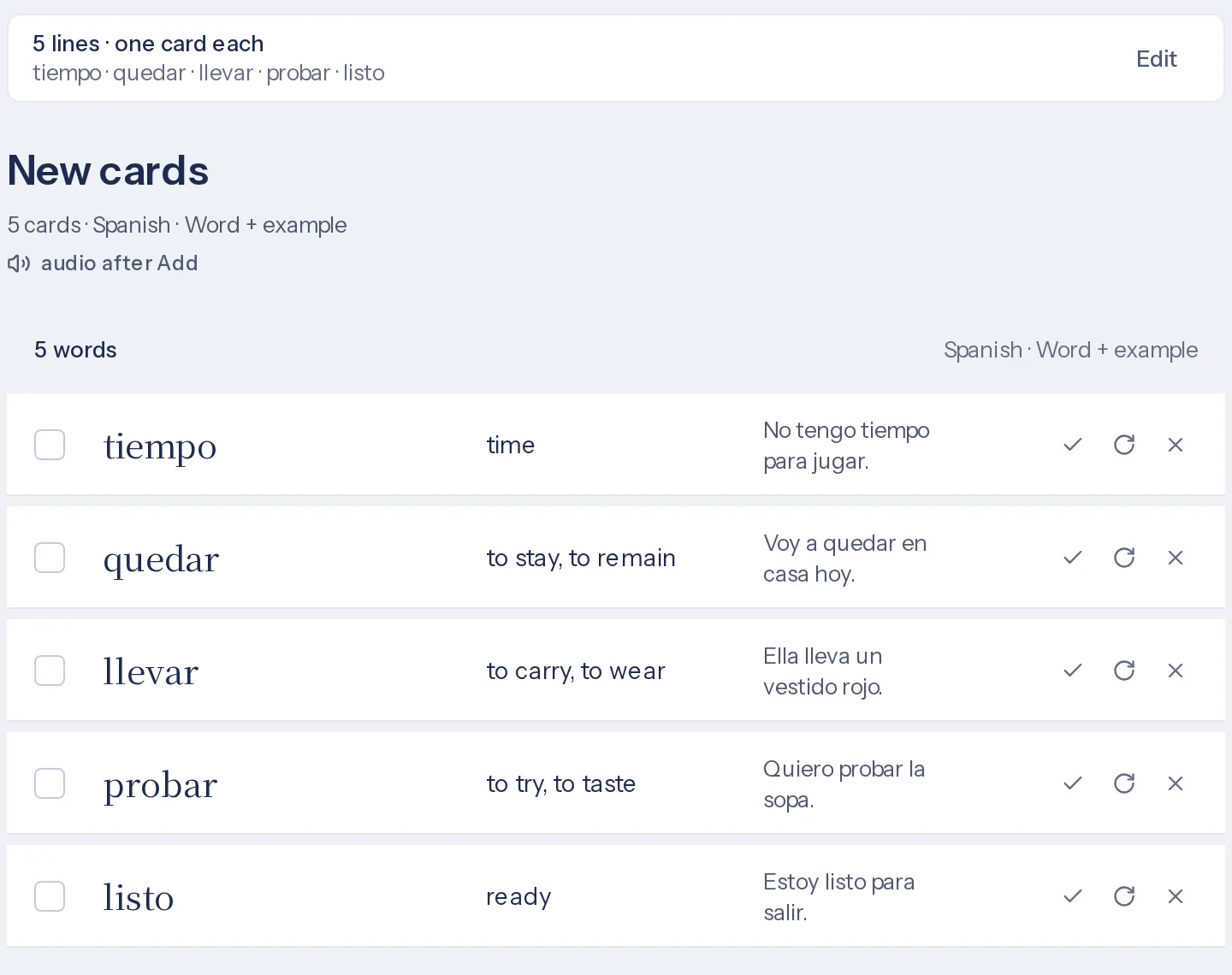
The five drafts as generated, before any correction. Checking each card
Each meaning and example was checked against a dictionary. Four cards were kept as generated; one example was corrected.
- tiempo
- “time”: correct. The weather sense (hace buen tiempo) is not on the card.
- quedar
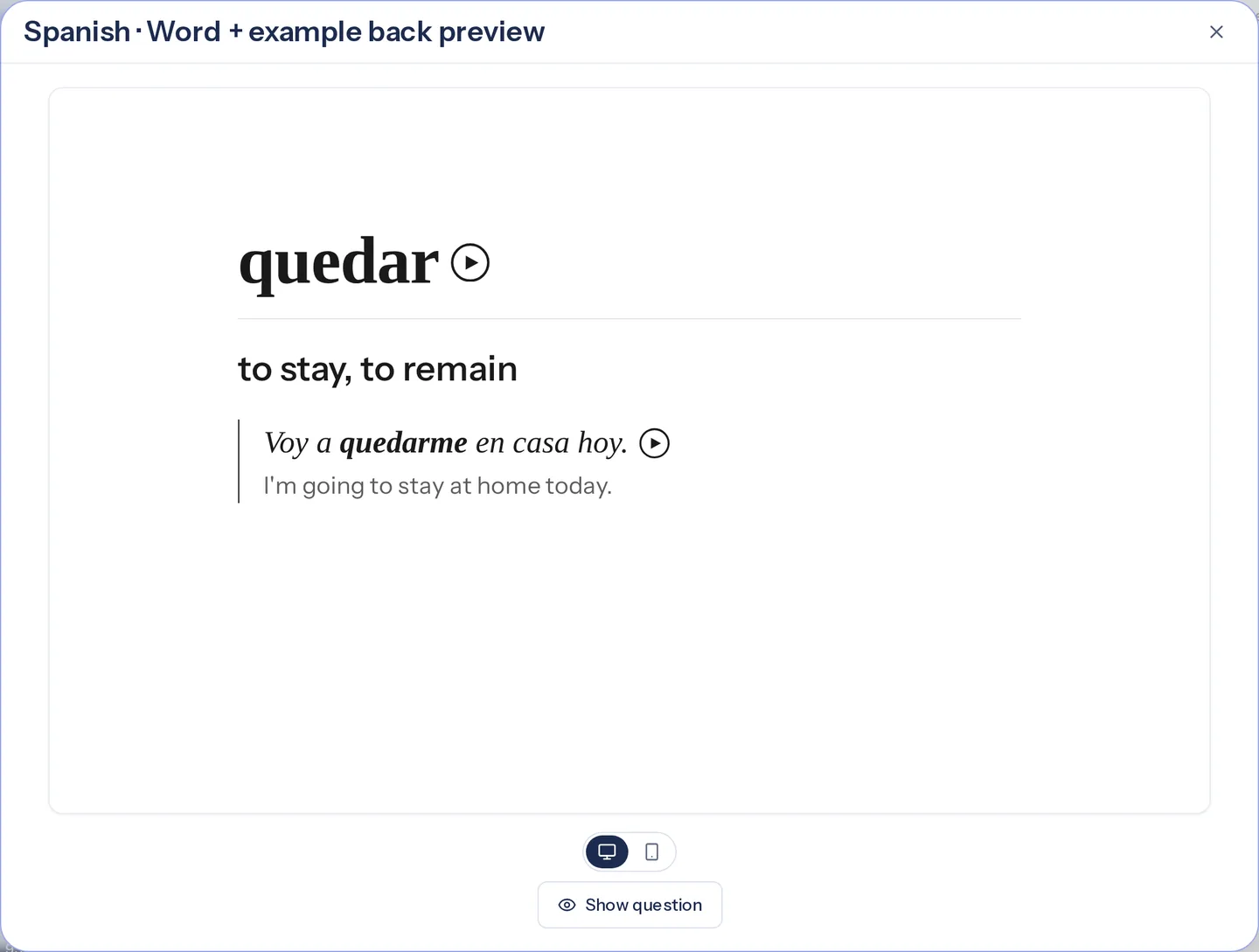
- “to stay, to remain”, but the example “Voy a quedar en casa hoy” is wrong: this sense needs the pronominal form, quedarse. Corrected to “Voy a quedarme en casa hoy.”
- llevar
- “to carry, to wear”: correct. The example, Ella lleva un vestido rojo, uses “to wear”.
- probar
- “to try, to taste”: correct. The example, Quiero probar la sopa, uses “to taste”.
- listo
- “ready”, with estar: correct. With ser it means “clever”, which is not on the card.
Audio, and the correction
Adding the five cards created ten audio files: the word and the sentence of each card. After the quedar example was edited, its audio still read the old sentence. Regenerate audio on the Example audio field replaced it.
Word audio: quedar
Sentence audio after the correction: Voy a quedarme en casa hoy.
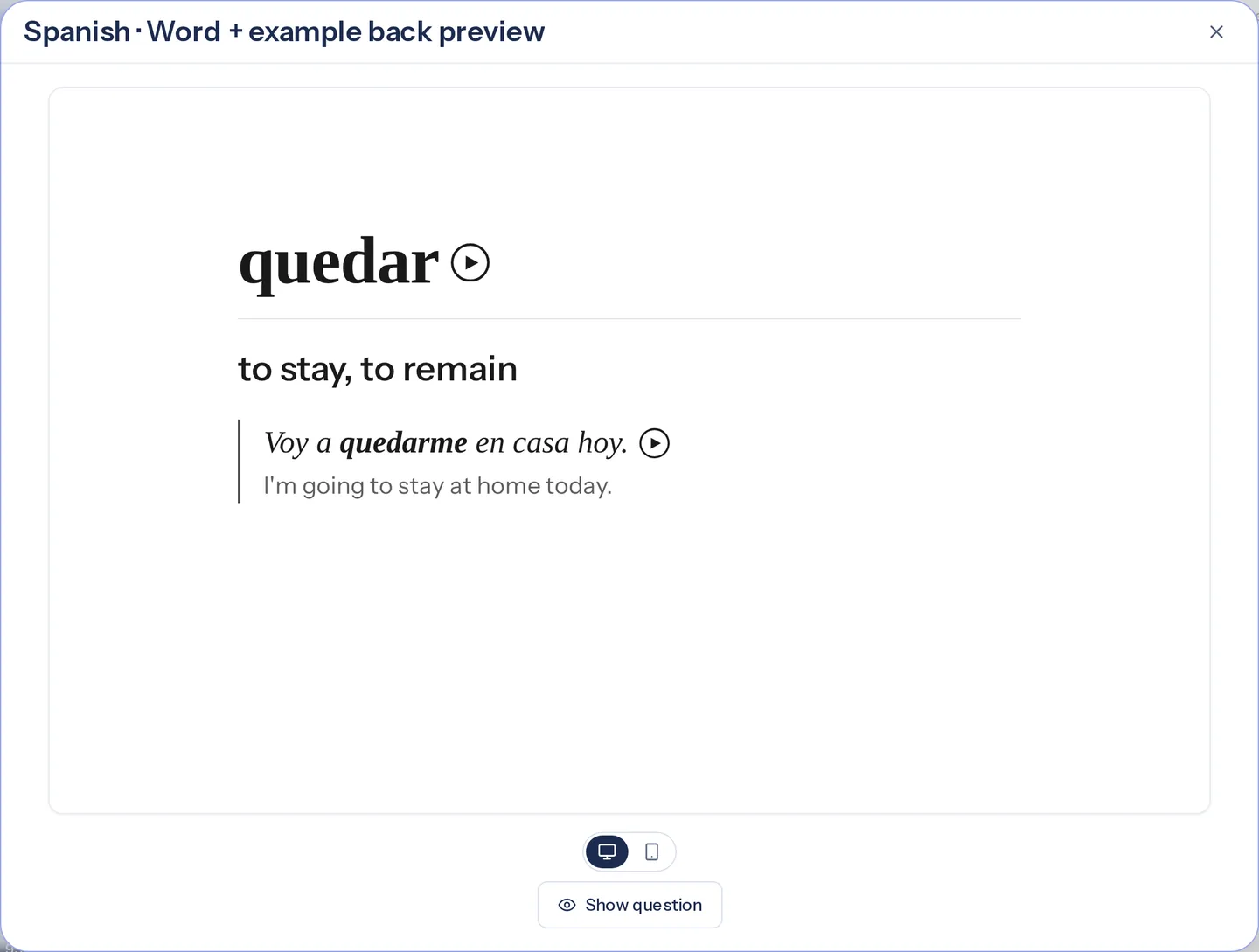
Back of the corrected card, in black and white, in Motoba's preview. The same card in Anki
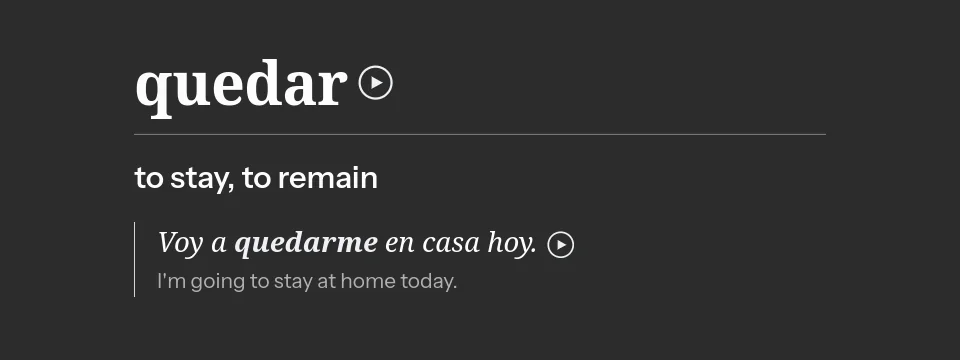
The .apkg export was imported into Anki desktop. The card arrived with its fields, the corrected sentence and both play buttons; Anki's night mode shows it in white on dark grey.
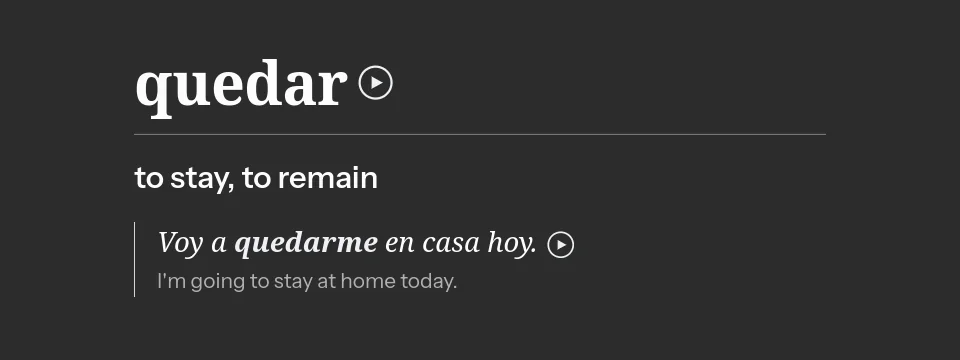
The card in Anki desktop after importing Motoba's .apkg export (night mode).
What can go wrong?
- AI may invent or misinterpret meanings, readings and examples. Review is necessary even when the card looks polished.
- Editing a field does not update its audio. Regenerate the audio of every sentence you correct.
- Generated cards consume the existing card allowance whether kept or discarded. A note type can create several Anki cards from one note. Check Plan & usage for your current allowances.
- AnkiConnect works on desktop. CSV, JSON and copy-paste exports do not reproduce every Anki layout or embed playable audio in every destination. Use .apkg for an Anki package with media.